
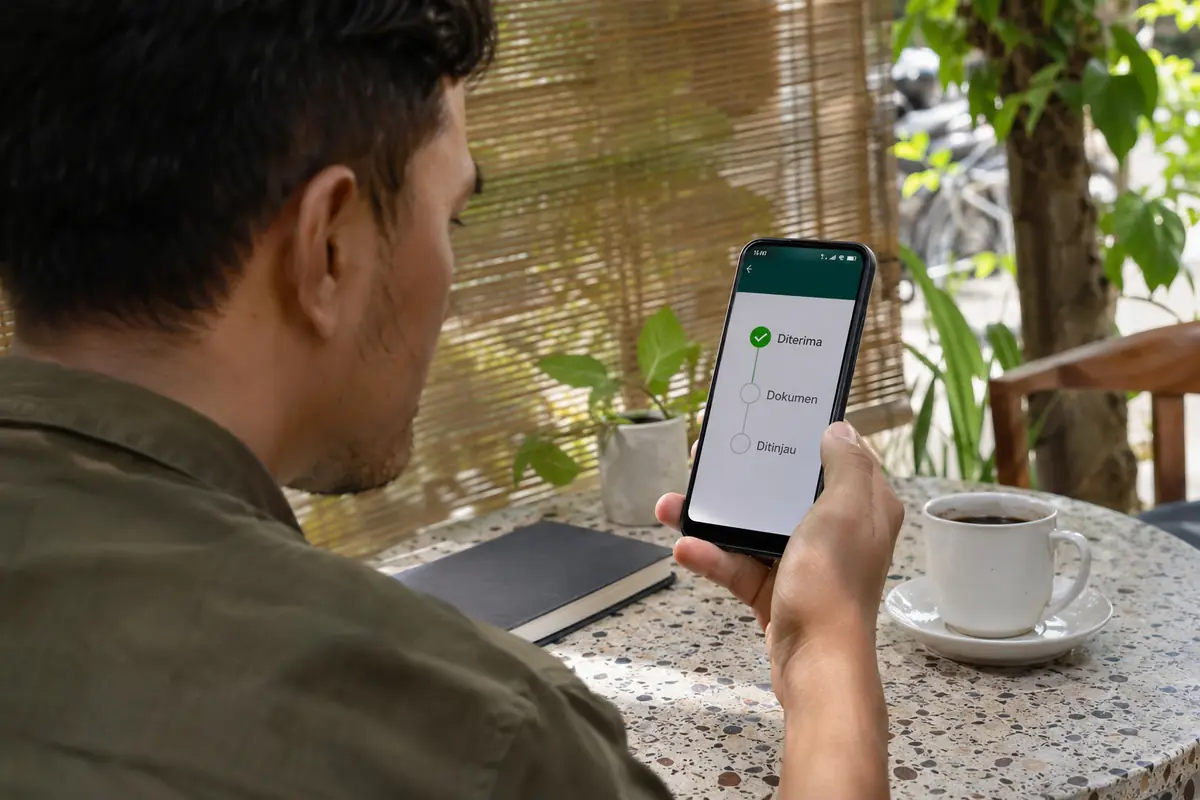
In Indonesia, a loan app with application status tracking shows the borrower where a request stands, from submission through verification, decision, agreement signing and disbursement. Each label corresponds to a step in the lender's internal workflow, and the wording differs between apps. Tracking matters because money is often needed by a certain date, because stalled requests are usually waiting for one missing item, and because fake messages claiming a loan is blocked are a common scam. Reading statuses correctly lets a borrower act early instead of waiting passively.
The stages behind every status
Behind different labels, nearly every request passes through the same sequence: received, under verification, under assessment, approved or declined, agreement signed, funds sent and, later, repayment. An app may merge several of these into one label.
Received means the file reached the lender's system. Two apps that both show processing can sit at different stages, so the in-app explanation is what settles the meaning. Verification covers identity, document checks and contact confirmation. Assessment is the credit decision, which may be automatic or reviewed by staff.
Approved is a decision, not a payment. The agreement stage requires the borrower's electronic signature, and only afterwards does the lender transfer the money to the registered bank account or e-wallet.
Where to check the status
The most reliable place is inside the signed-in app, usually under sections called application, loan, activity or history. Many lenders also send the same update by text message or email to the registered contact.
Some multi-product lenders provide a customer portal on their official website. A few finance companies offer a status check through a store counter or a branch, which is useful when the application started in a shop.
Statuses relayed through unofficial chat groups, social media accounts or unknown numbers should not be trusted. If an update arrives outside the app, the borrower should open the app directly and compare, rather than tapping a link in the message.
Typical statuses and what to do
A short guide to common labels helps decide the next move.
- Submitted or received: nothing needed yet; wait for the lender's stated processing time.
- Waiting for documents or data correction: upload the missing file in the same app and confirm that names and numbers match.
- Under review: manual attention is in progress, and repeated resubmission can slow it down.
- Approved: read the limit, cost and repayment schedule before accepting.
- Declined: check the reasons in the app or by email, fix the cause and wait before applying again.
- Disbursed: confirm the amount that actually arrived against the agreement.
Wording differs by lender, so the glossary or help section of the specific app is the final reference.
Why a request seems stuck
A request that does not move for longer than the stated window usually has an ordinary reason. The lender may be waiting for a clearer selfie, a bank statement or a callback that went unanswered because the number was unknown to the borrower.
Technical causes include an unstable connection that interrupted an upload, an outdated app version and an identity check that failed silently. Closing and reopening the app, or logging in on stable connectivity, often refreshes the status. Clearing the app cache, without deleting the account, can also help.
Banks add their own delays, and the lender cannot always see them. After approval, a transfer to an account with a mismatched name or an inactive status can bounce back to the lender, leaving the status as processing for a day or more.
Keeping a personal record
A simple record makes disputes much easier to resolve. Screenshots of each status screen, the date and time of submission, the application number and the text of any messages form a timeline that customer service and regulators can follow.
The electronic agreement should be saved as a file, together with the repayment schedule and the fee breakdown. If the app does not let the user download them, a screenshot of every page works as a fallback.
Borrowers who apply to several lenders should note which application belongs to which app, so that approvals received at the same time do not turn into several loans by accident.
Fake status messages and scams
Scammers exploit the waiting period. Typical messages say a loan has been approved but a deposit is needed, that the account is frozen because of an input error or that the application will be cancelled unless an insurance fee is paid.
No legitimate lender asks the borrower to pay a fee into a personal account to release a loan. Genuine costs are stated in the agreement and deducted or billed through the lender's official channels.
Anyone who receives such a message should stop replying, avoid transferring money and report it to OJK on 157 or WhatsApp 081157157157. Collection harassment, threats or contacts with people in the borrower's phone book are also reportable.
Status after the money arrives
Tracking does not end at disbursement. The same screen usually turns into a repayment view with the outstanding balance, the next due date and the status of each instalment, such as unpaid, paid or overdue.
After the final instalment the label should change to settled or completed. Borrowers can ask for a settlement confirmation and keep it, since the credit record held in the national system is updated from lender reports and mistakes are easier to correct while proof is at hand.
Early repayment changes the status too. Rules on early settlement and any remaining fees are written in the agreement, so the figure shown in the app before paying should be compared with those terms.
If a payment was made but the app still shows overdue, a transfer receipt sent to customer service usually fixes the label within a few working days.
When to escalate a problem
If a request shows no progress, the first contact should be the lender's official customer service, quoting the application number and submission date. A written reply, even a chat transcript, is worth keeping.
When the lender does not respond within a reasonable time or gives conflicting information, the borrower can file a complaint with the lender's complaint unit, then with OJK if the matter remains open. OJK accepts consumer complaints and advice requests at 157.
A borrower who has already received the money while the app still shows pending should not spend or hide the amount, because repayment obligations begin once funds arrive, regardless of the label on the screen.
Frequently asked questions
Where can I see the status of my loan application?
Inside the signed-in app, usually under application, loan or history. The same update often arrives by text message or email to the registered contact.
Does approved mean the money is already in my account?
No. Approved is the lender's decision. The agreement signing and the bank transfer come after it and may take additional time.
Why does my application still say processing?
Typical reasons are missing documents, a manual review, a mismatched bank account or a temporary technical delay. Opening the app and checking messages usually reveals what is pending.
Should I resubmit if the status does not change?
Usually not. Duplicate requests can slow the review or look like repeated applications. Contact customer service with the application number instead.
What if a message says my loan is frozen and I must pay a fee?
Treat it as a scam. Legitimate lenders do not require fees paid into personal accounts. Stop replying and report it to OJK on 157 or WhatsApp 081157157157.
Further reading
- Home Credit Indonesia (page in Indonesian; English page not confirmed) : Perusahaan pembiayaan konsumen dengan pengajuan langsung atau online, panduan konsumen, dan aplikasi My Home Credit Indonesia.